

For about eight months I could set a clock by my back pain. Every afternoon, somewhere between 1:45 and 2:15, my lower back would start tightening up. By 3pm I was shifting in my chair every few minutes, then getting up to stretch in the kitchen, then sitting back down and repeating the whole cycle. I told myself it was because I was getting older. I told myself my chair was wrong, or my desk height was wrong, or that I just needed to move more. What finally fixed it was not a new chair or a new desk: it was a TechOrbits standing desk converter that lets me switch between sitting and standing without rebuilding my workstation.
What I did not tell myself, until someone basically forced me to think about it, was that I had been sitting in the same position for five and six hours at a stretch with almost no variation. Not because I am lazy. Because I was focused. That is the trap. The better you are at concentrating, the longer you go without noticing that your body has stopped tolerating what you are putting it through.
I tried a lumbar pillow. It helped for two days. I tried a different chair. It helped for about a week, then the familiar tightness came back. I looked at full motorized standing desks and immediately closed the tab. I rent my apartment and I am not running new cable management for a desk that weighs 80 pounds and costs a significant amount. That is not a reasonable solution for where I am right now.
A friend mentioned desk converters almost as an aside. He had one on his existing desk. You just set it on top of whatever you already have, raise it when you want to stand, lower it when you want to sit. No tools, no permanent changes, no running new cables to the wall. I was skeptical because the idea sounded too simple, but I was also tired of the 2pm lockup, so I ordered the TechOrbits 32-inch standing desk converter and gave it two weeks.
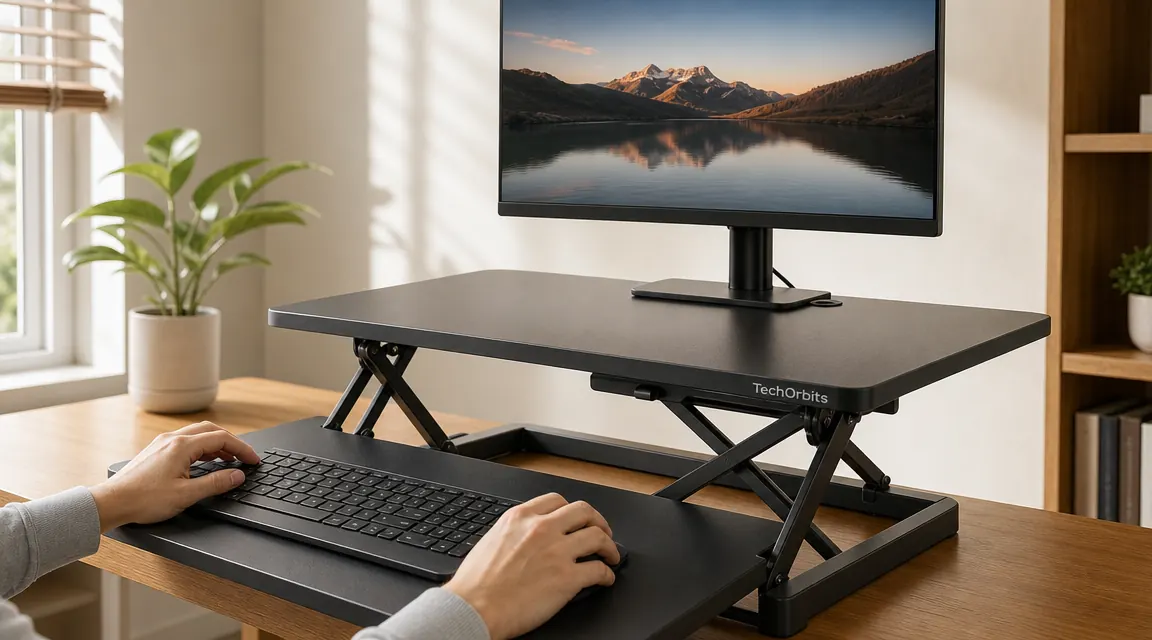
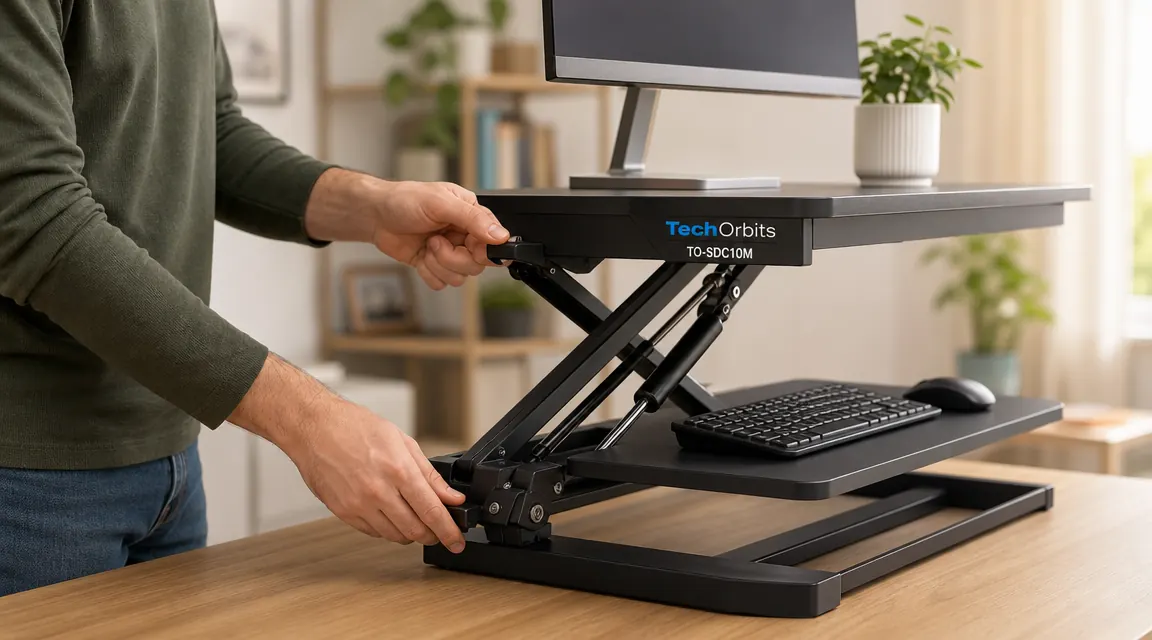
Setup took about ten minutes. I unboxed it, set it on my desk, adjusted the height so my elbows were at roughly 90 degrees while standing, and that was it. The keyboard tray sits below the main platform, which keeps your wrists at the right angle whether you are sitting or standing. The lift mechanism uses a spring counterbalance, so raising and lowering it takes maybe three seconds. No motors, no buttons, no settings to save.
I stopped noticing the 2pm pain after the second week. I do not mean it got better. I mean I stopped thinking about it because it stopped being a thing.
The standing desk converter that solved my 2pm back problem
The TechOrbits 32-inch converter has 7,000-plus reviews and sits on your existing desk. No installation, no permanent changes, no expensive motorized frame. Check today's price on Amazon.
Amazon Check Today's Price on Amazon →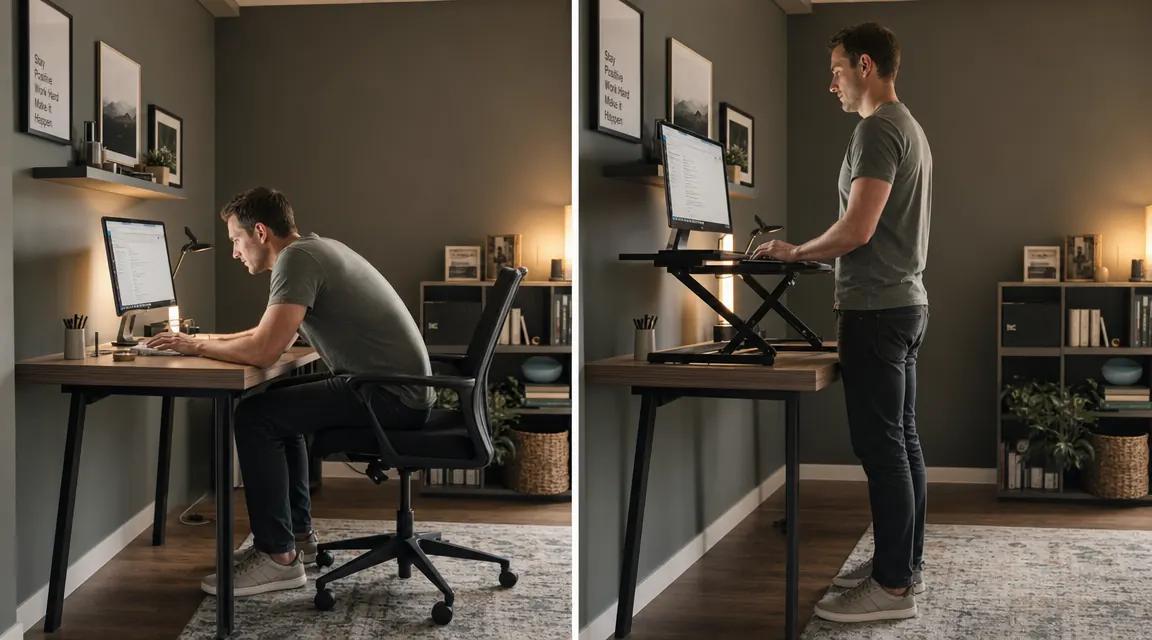
The first three days I stood for maybe 20 minutes at a time before lowering it. My legs were not used to it. That is normal, and it passed by the end of the week. By the second week I was standing for 45 minutes to an hour at a stretch in the mornings, sitting after lunch, then standing again for part of the afternoon. The rotation was not something I had to think hard about. The converter makes switching so fast that you just do it when you feel like it.
The stability question is the one I get asked most. At full height it does have some wobble if you knock the desk or type hard. I would not call it a problem for normal use. It is noticeable if you are looking for it, but it has never actually bothered me mid-task. The platform is 32 inches wide, which fits my monitor, a small notebook, and a coffee mug. If you have a dual-monitor setup you will want to check the width before ordering.
There are things I would change if I could. The keyboard tray depth is fine for a standard keyboard but a little tight with a full-size keyboard and a large mousepad. I ended up getting a compact keyboard and the problem went away, but if you are wedded to your current layout you will want to measure. The other thing is that once it is on your desk, it takes up the full 32 inches of width whether it is raised or lowered. That is just the nature of a converter. It lives on your desk all the time.
For what I needed, those are minor complaints. I was looking for a way to break up my sitting without doing a full desk overhaul, and that is exactly what the TechOrbits delivered. If you want a deeper breakdown of how it compares against other options, I have a full long-term review that covers stability, keyboard tray usability, and who should consider a different format. And if back pain is something you are still working on even with a converter, the chair underneath you matters more than most people think, so the ergonomic chair review I put together is worth a look.
What I'd Tell You If We Were Sitting at My Kitchen Table
The real answer is simpler than the industry wants it to be. You do not need a high-end motorized desk. You do not need an elaborate stand-sit schedule. You just need an easy way to change your position a few times a day, and you need to lower the friction on that change until it becomes automatic.
A desk converter does that. You push it up, you pull it down. If it takes more than five seconds you will stop doing it. The TechOrbits takes three seconds. That detail matters more than any spec sheet item.
If your setup is anything like mine was, you are not dealing with some deep structural problem that requires a dramatic fix. You are dealing with the fact that focused work keeps you locked in one position too long. Give yourself an easy out. That is the whole intervention.
Give your back an easy out this afternoon
The TechOrbits 32-inch desk converter works on top of your existing desk, sets up in under 15 minutes, and raises or lowers in three seconds. Over 7,000 buyers, 4.6 stars. See today's price.
Amazon Check Today's Price on Amazon →