
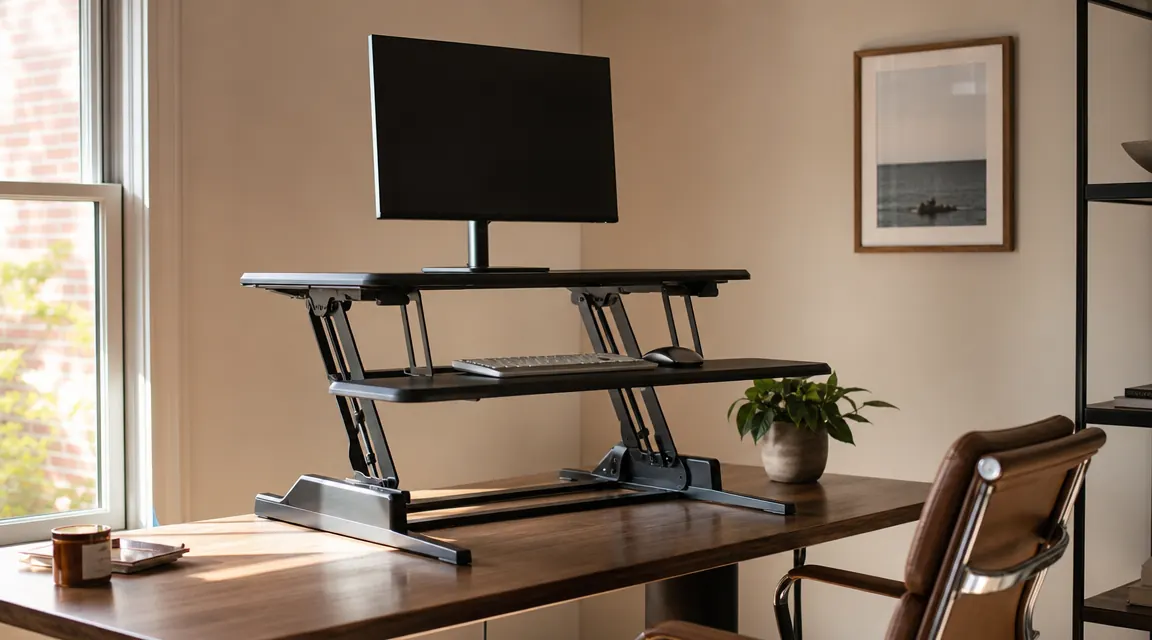
The TechOrbits 32-inch desk converter sits at $99.99 on Amazon right now, has 7,178 reviews, and a 4.6-star average. That is a compelling number. But most of those reviews were written in the first two weeks, before a few small realities had time to settle in. I have been using this converter in a 10-by-11-foot spare bedroom that functions as my full-time office, and I want to give you the picture the listing photographs do not.
This is not a hit piece. I still use it every day and would buy it again over most alternatives at this price. But there are things about this unit that nobody leads with, things about the assembly weight, the sound it makes when you lift it, the wobble at full extension, the keyboard tray situation for anything beyond a single-monitor setup, and who flat-out should not buy it. Let me go through each one plainly.
The Quick Verdict
A well-built converter that earns its footprint for single-monitor setups in mid-height ranges, but real limitations on wobble, keyboard tray depth, and daily lift weight are things you should know before ordering.
Amazon Check Today's Price →Read the seven things the listing skips. Then check today's price.
The TechOrbits 32-inch converter is in stock and shipping now. Prices can move, so confirm today's number before you decide.
Amazon Check Today's Price on Amazon →First, the Assembly: It Weighs 43 Pounds and That Number Is Real
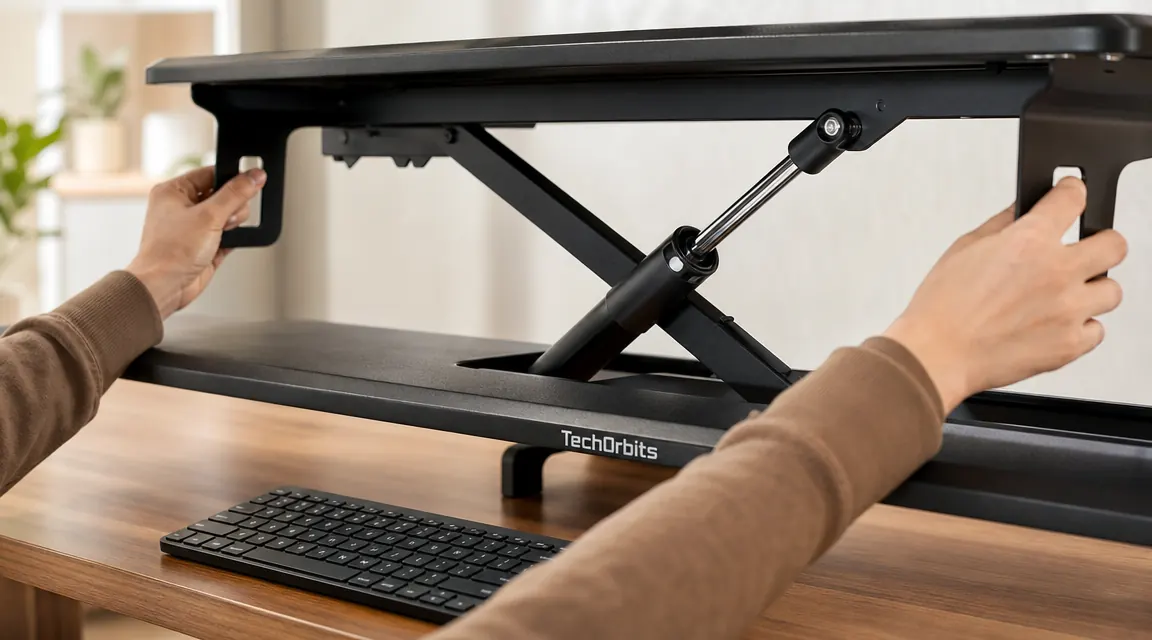
The product listing states the converter weighs 43 pounds. That is accurate. What it does not communicate is what that means day to day. Every time you raise the unit from sitting to standing height, you are lifting a meaningful portion of that weight plus whatever is sitting on the surface. My setup runs a 27-inch monitor, a laptop on a riser, and a small lamp. I am lifting close to 60 pounds every time I go to standing position.
The gas-spring mechanism does most of the work, and the handles are well-positioned. The lift is not a heavy squat. But it is a daily physical commitment that some buyers with shoulder or wrist issues may not have factored in. If you have chronic shoulder problems or are recovering from any kind of rotator cuff issue, this is a question worth asking before the box arrives, not after.
The Springs Make a Sound When You Lift
This one surprises almost everybody. When you lift the converter, especially from the lowest sitting-height position, the gas springs produce an audible sound. It is not a squeak and it is not a creak. The best description I have is a soft mechanical groan, roughly the sound a car door hinge makes when it needs a small amount of oil. It lasts about two seconds during the lift phase and stops completely once the unit reaches the next height notch.
In a private home office at 7am, this is noticeable. In a shared space or open-plan apartment, your roommate or partner is going to hear it. This is not a sign the unit is failing or needs repair. It is normal behavior for gas-spring mechanisms under load. TechOrbits has not addressed it in their FAQ, and most reviews do not mention it, so I will: it does not go away with use, but you do stop noticing it after the first few days.
Wobble at Full Standing Height Is a Physics Problem, Not a Defect
At sitting height, the converter is genuinely solid. You can press a key firmly, lean on the surface, or drag a heavy monitor across it and nothing moves. Raise it to full standing height and the picture changes. At maximum extension, the unit has a noticeable lateral sway. Not dramatic, not dangerous, but real enough that a heavy keystroke will produce visible monitor movement, and if someone walks with any weight across a hardwood floor nearby, the screen shakes.
This is not a manufacturing fault. It is how z-lift scissor mechanisms work. The higher the unit extends, the more lever arm there is to amplify any lateral force. Every z-lift converter at this price point does this. The VARIDESK units at $350 to $400 reduce it meaningfully through a heavier base plate and a more rigid scissor geometry, but they do not eliminate it either. I adapted to the TechOrbits wobble within a week by typing a bit lighter at standing height. Most people do the same. But if screen movement while typing is the kind of thing that will genuinely bother you every day, that is important to know before you order.
The Keyboard Tray: Fine for One Monitor, Cramped for Two
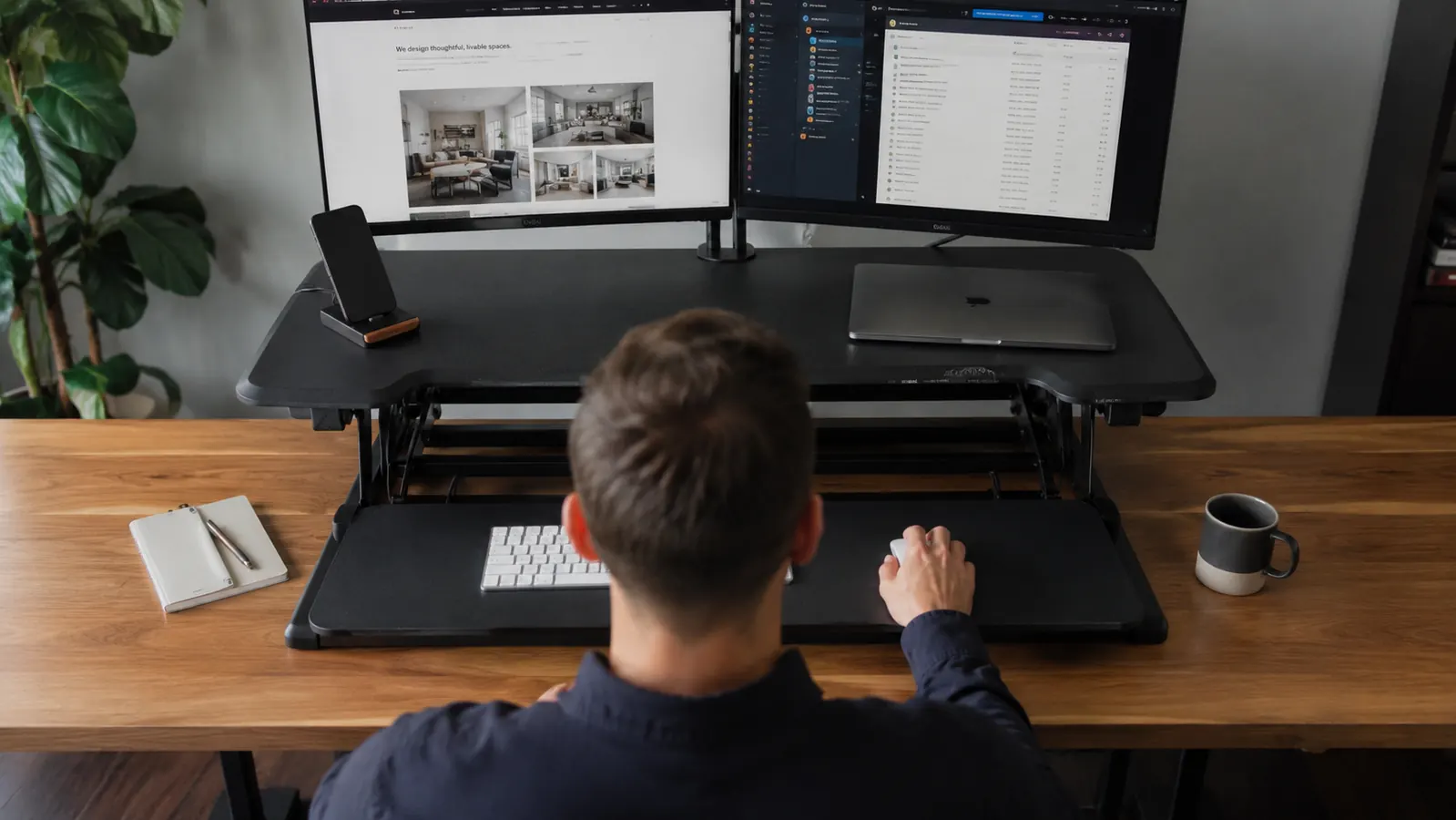
The keyboard tray is the feature TechOrbits highlights prominently in the listing. It drops below the main work surface, which is ergonomically correct for wrist positioning. The tray angles down slightly, which is also correct. These are genuine benefits over converters that put the keyboard on the same plane as the monitor. However, the usable depth of that tray is roughly 10 inches. A standard full-size keyboard is 5.5 to 6 inches deep and fits. A full-size keyboard with a wrist rest does not. You are choosing one or the other.
Width matters more for dual-monitor users. If you are trying to run two monitors side by side on the converter surface, you need to understand that the keyboard tray width was designed with a single-monitor layout in mind. You can physically fit a keyboard and a small mouse side by side in the tray when one monitor is centered above. If you add a second monitor and shift your typing position left or right to center it between the two screens, the tray placement becomes awkward. I switched to a single large monitor specifically because the dual-screen layout with this tray felt off. If you are a committed dual-monitor person, read the keyboard tray dimensions carefully against your actual keyboard width before assuming it will work.
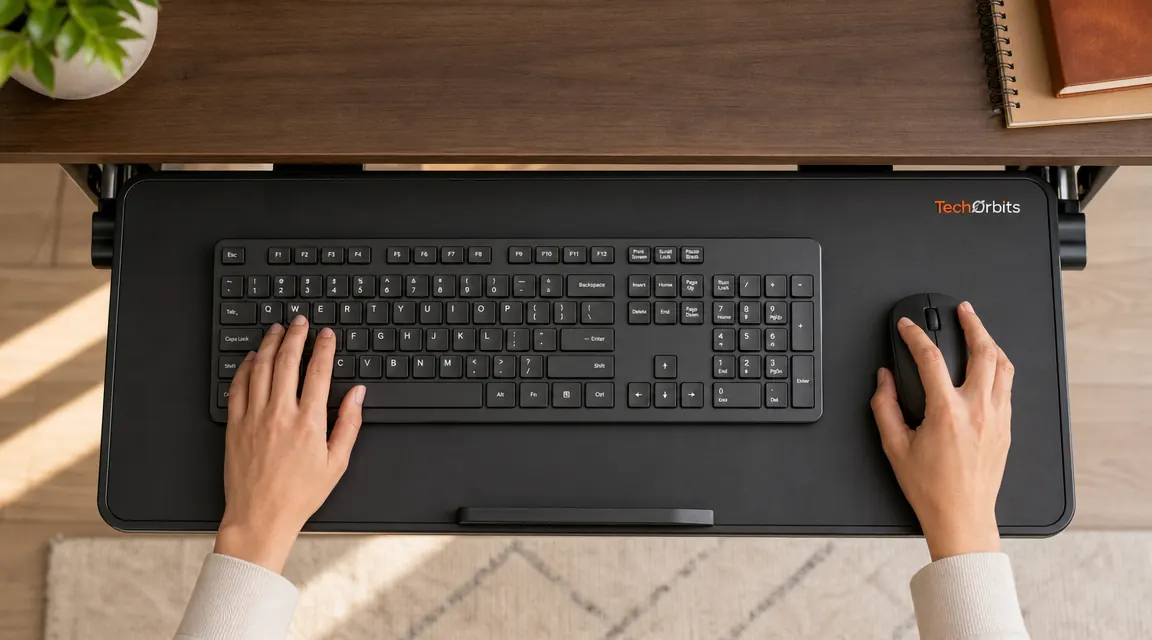
Dual-monitor power users with big screens should think twice. The tray geometry was designed around a single centered display, and the layout feels off the moment you add a second screen.
The 32-Inch Base Claims Your Desk, Whether You Like It or Not
A 32-inch wide converter on a 48-inch desk leaves 8 inches of open surface on each side. That sounds like enough until you realize the converter base also extends about 24 inches back toward you, making the side wings shallow and hard to use for anything that requires depth. In practice, a notebook fits in the margin. A second monitor on a separate stand does not sit naturally in that narrow space. A task light can go there if it clamps to the desk edge. Anything that needs desk depth does not have a home.
If you have a desk smaller than 48 inches wide, reconsider. The converter will feel like it is eating the desk rather than sitting on it. And if your plan was to keep a second monitor off to the side on its original stand, that plan gets harder. I ended up using a monitor arm to pull the secondary display up off the surface entirely, which freed up the side margins. For a single-monitor setup on a desk 48 inches or wider, the footprint trade-off is manageable. For anything more complex, plan accordingly.
Who Should Not Buy This: Straight Talk
People over 6 feet 4 inches tall should look at the height specs before ordering. The converter maxes out at about 20 inches above the desk surface. If your desk is a standard 29 to 30 inches from the floor and you are over 6-4, you are going to hit the top of the adjustment range before your monitor reaches eye level in standing position. This is not a marginal issue. A poorly positioned monitor at standing height negates most of the ergonomic benefit of standing in the first place. Measure your desk height and your eye height at standing position before assuming the range will cover you.
Dual-monitor power users running two large screens, 27 inches or wider, should also be skeptical. The converter surface is 32 inches wide. Two 27-inch monitors side by side require roughly 58 inches of combined width, accounting for bezels. They are not going to sit side by side on the converter surface. You would need to use the upper shelf for one monitor, which puts it at an uncomfortable viewing height, or use a monitor arm for both, in which case you are building a more complex setup than the converter alone provides. Buyers who want to simply drop two monitors onto the surface and have it work should not expect that outcome from a 32-inch converter.
Finally, skip this unit if you have any kind of chronic shoulder or wrist injury that flares with daily overhead reaching. The lift mechanism helps substantially, but 43 pounds at arm's length, every day, adds up over a month. There are lower-effort adjustment options if daily lift force is a genuine concern.
TechOrbits vs. VARIDESK: What You Are Actually Trading
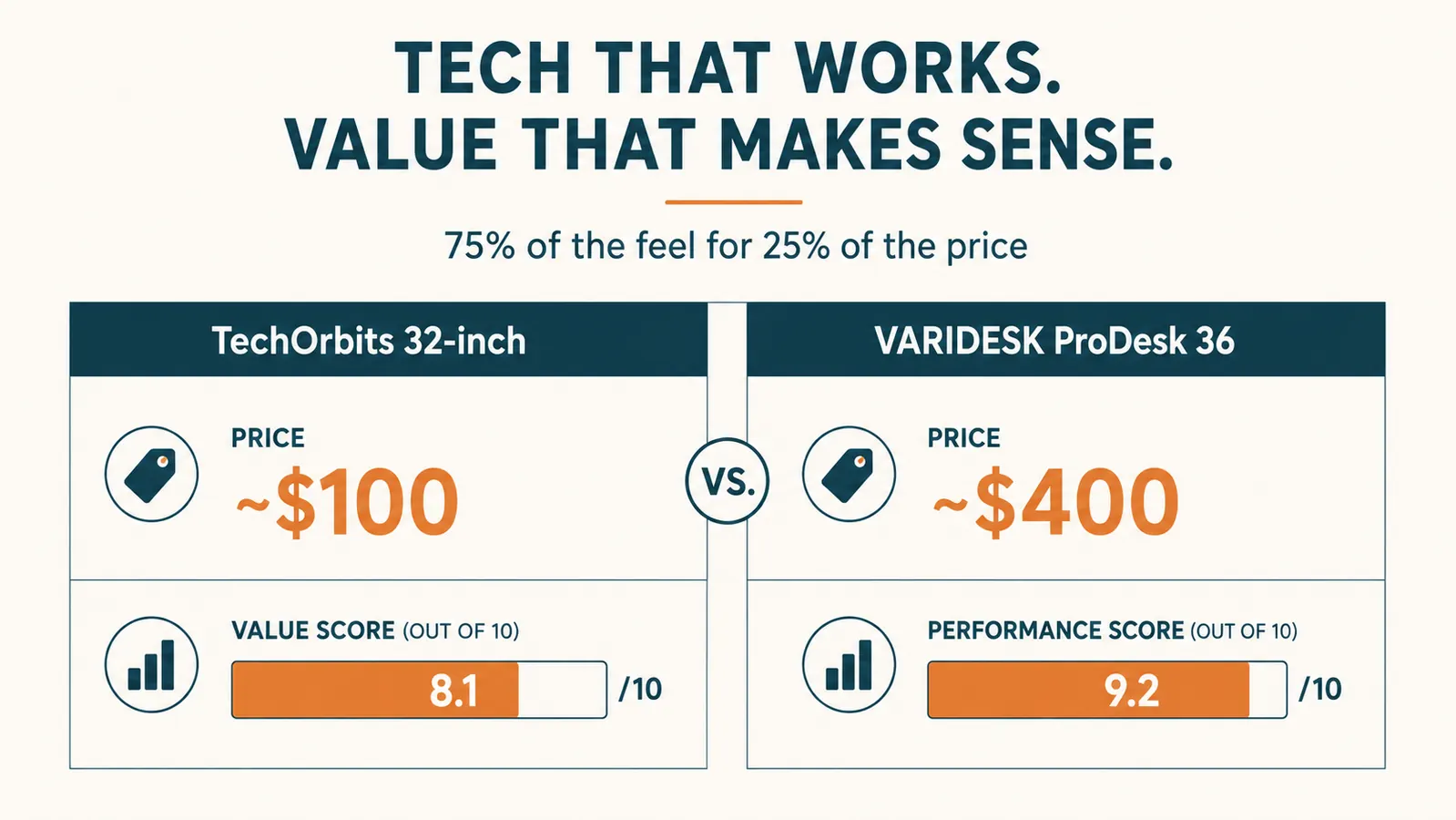
I want to address the VARIDESK comparison directly because it comes up in almost every thread where someone is deciding between these two. A VARIDESK ProDesk 36 runs in the $350 to $400 range, depending on when you check. That is three and a half to four times what you pay for the TechOrbits. Is the VARIDESK better? Yes, in measurable ways. The base is heavier and reduces lateral sway noticeably at standing height. The keyboard tray is wider and gives you more mouse room. The overall build uses thicker steel and the mechanism is quieter with less of the gas-spring groan I described earlier. The VARIDESK also has a longer track record, a stronger warranty, and more stability under sustained heavy typing.
Here is the honest calibration: the TechOrbits delivers roughly 75 percent of the VARIDESK experience for about 25 percent of the price. The things that matter most to the majority of buyers, smooth height adjustment, a stable surface at sitting height, a functional keyboard tray, and a build quality that holds up over time, the TechOrbits delivers all of those. What it cannot fully match is the VARIDESK stability at full standing height and the more generous keyboard tray dimensions. For a home office user who sits most of the day and stands for 30 to 90-minute stretches, the TechOrbits is the sensible buy. If you are standing for four or more hours daily and typing hard the entire time, the VARIDESK is worth the premium.
What I Liked
- Gas-spring mechanism is smooth and holds position firmly at every height notch
- Solid, rattle-free build at sitting height, noticeably better than converters at lower price points
- Keyboard tray drops to proper wrist ergonomics and angles slightly down correctly
- Assembly takes about 15 minutes with no tools and no confusing hardware
- 7,178 verified reviews at 4.6 stars is a real signal the product consistently delivers its core promise
- Delivers roughly 75 percent of the VARIDESK experience at 25 percent of the VARIDESK price
Where It Falls Short
- Audible gas-spring sound during every lift that does not diminish over time
- Noticeable lateral sway at full standing height, especially with a heavy or wide monitor
- Keyboard tray depth is too shallow for a keyboard plus wrist rest simultaneously
- Cramped layout for dual-monitor users with screens 27 inches or wider
- Height range tops out before eye level for users over approximately 6 feet 4 inches
- Zero cable management included, requiring your own solution from day one
Who This Is For
This converter is the right choice if you are between 5 feet 4 inches and 6 feet 3 inches tall, working at a standard-height desk between 28 and 30 inches from the floor, running a single monitor up to 27 inches wide. You alternate between sitting and standing but are not standing for more than a couple of hours at a time. You type at a normal force and are not going to be bothered by a small amount of movement in the screen at standing height. You want to keep your existing desk rather than replace it, and you do not want to spend $400 on a VARIDESK to get there. If that describes your situation, the TechOrbits is going to work well and you will be happy with it.
If you want a fuller picture of how this unit performs over months of continuous daily use, including how the mechanism holds up and how the surface wears, the long-term TechOrbits review covers those questions from a different angle. That piece is specifically about extended use rather than the first-impression issues I have focused on here.
Who Should Skip It
Skip it if you are over 6 feet 4 inches and your desk is already on the taller side. Skip it if you are a dual-monitor power user running two displays 27 inches or wider and expecting them to both sit on the converter surface. Skip it if screen movement while typing at standing height will genuinely bother you every day and you are not willing to adapt your typing force. Skip it if you have a shoulder or wrist injury that makes the daily lifting weight a concern. And skip it if your desk is under 48 inches wide, because the 32-inch footprint will eat most of the surface and leave you with very little working room on the sides.
For a side-by-side comparison against the FlexiSpot converter at a similar price point, including keyboard tray measurements, mechanism smoothness, and which one I would choose for different workspace sizes, see the TechOrbits vs FlexiSpot breakdown.
Final Take
The TechOrbits 32-inch converter is a genuinely good product with real limitations the listing is not going to show you. The assembly weight is real. The gas springs make a sound every time you lift. The wobble at standing height is real and will not go away. The keyboard tray is tighter than it looks for anyone running more than one monitor or a large keyboard and wrist rest together. And if you are over 6-4 or a serious dual-monitor user, it is probably not your converter.
None of that stopped me from using it every day. The things it does well, smooth height adjustment, stable sitting position, correct keyboard tray ergonomics, and real build quality at this price, it does consistently. At around $100, with more than 7,000 verified buyers behind it, it delivers 75 percent of the VARIDESK experience for a fraction of the cost. Go in knowing the inconveniences and you will not be caught off guard by any of them.
Now you know the full picture. If it fits your setup, today's price is worth checking.
The TechOrbits 32-inch desk converter is in stock and available now. Verify today's current price before you buy.
Amazon Check Today's Price on Amazon →