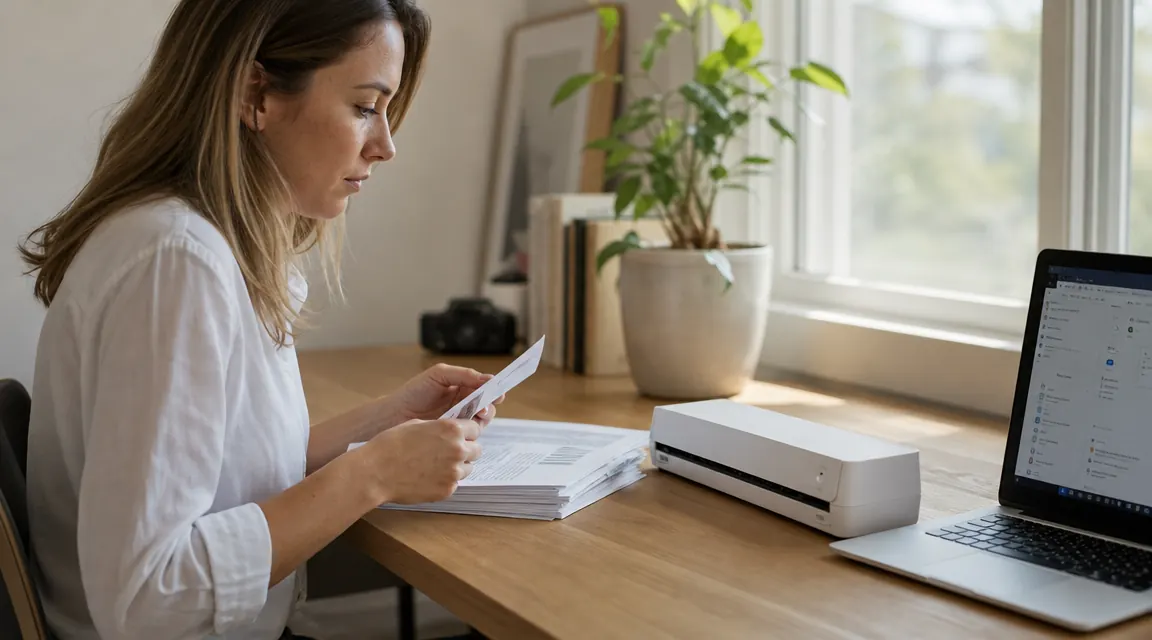
Here is the short answer. If you scan receipts, contracts, bank statements, and the occasional multi-page form, and most of those pages are single-sided, the Epson ES-50 is the right scanner. It costs less, weighs less, has better out-of-the-box OCR, and fits more comfortably on a tight desk or in a laptop bag. If you regularly process two-sided originals and need to scan both faces in a single pass without flipping anything manually, the Brother DS-740D is the only portable scanner in this price range that handles that cleanly. That is the whole decision. Everything below explains the reasoning so you can make the call with confidence and move on.
I have been running the Epson ES-50 on my own desk for several months, feeding it tax receipts, lease copies, and multi-page service contracts. The Brother DS-740D is the standard alternative that comes up in every portable-scanner conversation because its duplex capability is real and its reputation is earned. This comparison is honest about where each machine is genuinely better and where the spec sheet flatters it beyond its actual usefulness in a home office context.
| Epson ES-50 | Brother DS-740D at a glance | |
|---|---|---|
| Current price | Check today's price on Amazon | Check today's price on Amazon |
| Weight | 0.9 lbs | 1.1 lbs |
| Width | 11.1 in | 11.6 in |
| Duplex scanning | No (single-sided only) | Yes (automatic) |
| Scan speed (simplex) | 27 ppm at 200 dpi | 25 ppm at 300 dpi |
| Scan speed (duplex) | N/A | 25 ipm at 300 dpi |
| Max optical resolution | 1200 dpi | 600 dpi |
| Power source | USB bus-powered | USB bus-powered |
| Bundled software | Epson ScanSmart + ABBYY OCR | iPrint and Scan + PaperPort |
| Mac compatibility | Yes, smooth driver support | Yes, occasional driver reinstalls |
| Amazon rating | 4.3 stars (5,800+ reviews) | 4.4 stars (~3,200 reviews) |
Where the Epson ES-50 Wins
Price is the first thing. The ES-50 runs lower. The Brother DS-740D typically sits higher. For most home office users, that difference is the entire conversation, because the feature you are paying for with the Brother is duplex scanning, and if most of what you scan is single-sided, that is money going toward a mechanism you will use occasionally at best. Receipts are single-sided. Bank statements are single-sided. Most contracts printed from a PDF are single-sided. The ES-50 is priced for that reality, and there is nothing clever or compromised about choosing it.
The software gap is the second clear win for Epson. ScanSmart launches quickly, prompts you to choose an action (save as PDF, send to cloud, send to email), and handles multi-page documents in a single scan job without fuss. The bundled ABBYY FineReader OCR converts your scanned PDFs to searchable, keyword-indexed text with noticeably better accuracy than the PaperPort Standard engine included with the Brother. That gap matters if you plan to build a searchable paperless archive over time. I can search a scanned tax document from eight months ago and pull the right line on the first try. OCR accuracy compounding across hundreds of documents is a real advantage, not a minor detail. The difference shows most on mixed-font pages, fine-print receipts, and anything with condensed type.
On Mac, Epson drivers have been consistently stable through macOS updates. Brother has improved its Mac support significantly, but it still occasionally requires a manual driver reinstall after a major macOS version bump. That is a minor nuisance in isolation, but it is the kind of thing that happens at exactly the wrong moment, when you need to scan something quickly and instead spend twenty minutes troubleshooting a driver. If you are on a Mac and want a scanner that just works after every OS update, the ES-50 is the lower-friction choice. Beyond software, the ES-50 also beats the Brother on maximum optical resolution, 1200 dpi versus 600 dpi, which matters if you ever need to scan photographs, fine architectural drawings, or any document where you need to zoom in at full quality. For standard OCR at 300 dpi, both machines produce indistinguishable output.
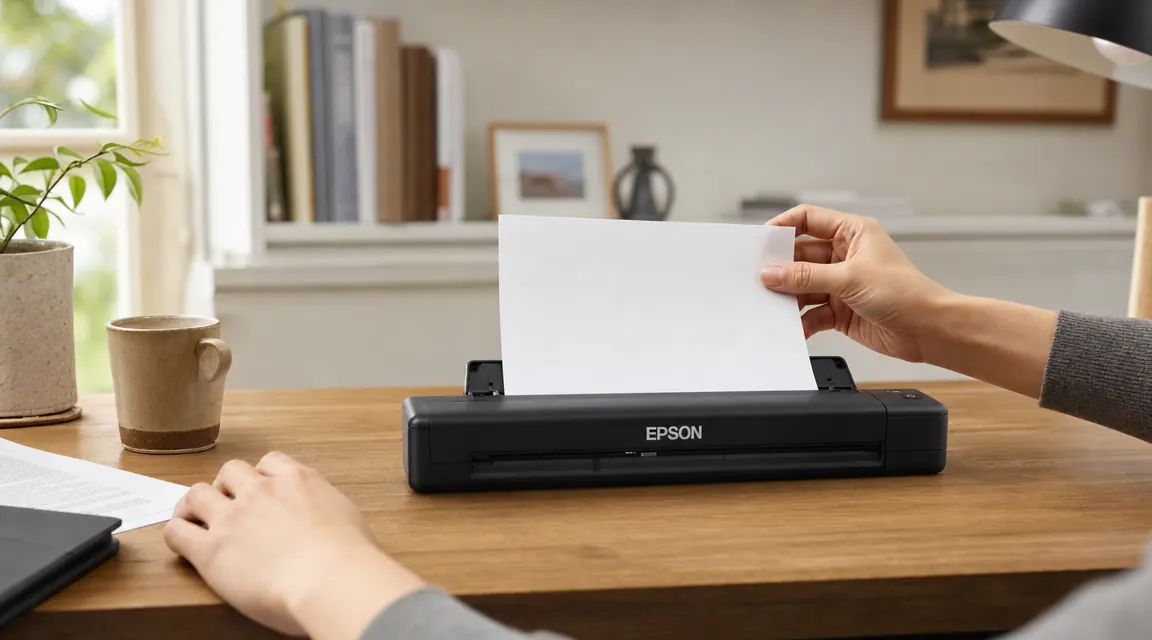
Where the Brother DS-740D Wins
Automatic duplex scanning. That is the Brother's reason for existing at this price point, and it earns it completely. The DS-740D feeds a sheet through its duplex mechanism and scans both faces in a single pass. If you regularly deal with two-sided documents, whether those are double-printed contracts, medical forms, government applications, or any paperwork your accountant mails you, the Brother cuts your feeding work in half. Over a 40-page double-sided contract, that is 80 individual feeds versus 40. Over a week of heavy scanning work it adds up to something you actually feel. The time savings compound, and so does the reduction in errors from misfeeds when you are manually flipping and reloading.
The DS-740D also holds its own on throughput. At 300 dpi it processes 25 pages per minute for single-sided content and sustains that rate in duplex mode, meaning it does not slow down when doing two-sided work. The ES-50 is marginally faster in simplex mode at the same resolution, but the difference on a 20-page batch is under a minute and irrelevant in practice. Where the Brother clearly pulls ahead is specifically on duplex jobs, where it completes the work the ES-50 cannot do without operator intervention. For that particular user and that particular scanning load, it is the clearly better machine. That is a real and legitimate reason to choose it.
For most home office users, the feature you are paying extra for with the Brother is duplex scanning. If most of what you scan is single-sided, that is money toward a mechanism you will rarely use.
Still scanning single pages one at a time? The ES-50 handles receipts, contracts, and statements in a footprint smaller than a hardback book.
USB-powered, no drivers beyond a one-time install, and ScanSmart software with ABBYY OCR that actually produces searchable PDFs. For single-sided home office scanning, it is the cleaner choice at a lower price.
Amazon Check Today's Price on Amazon →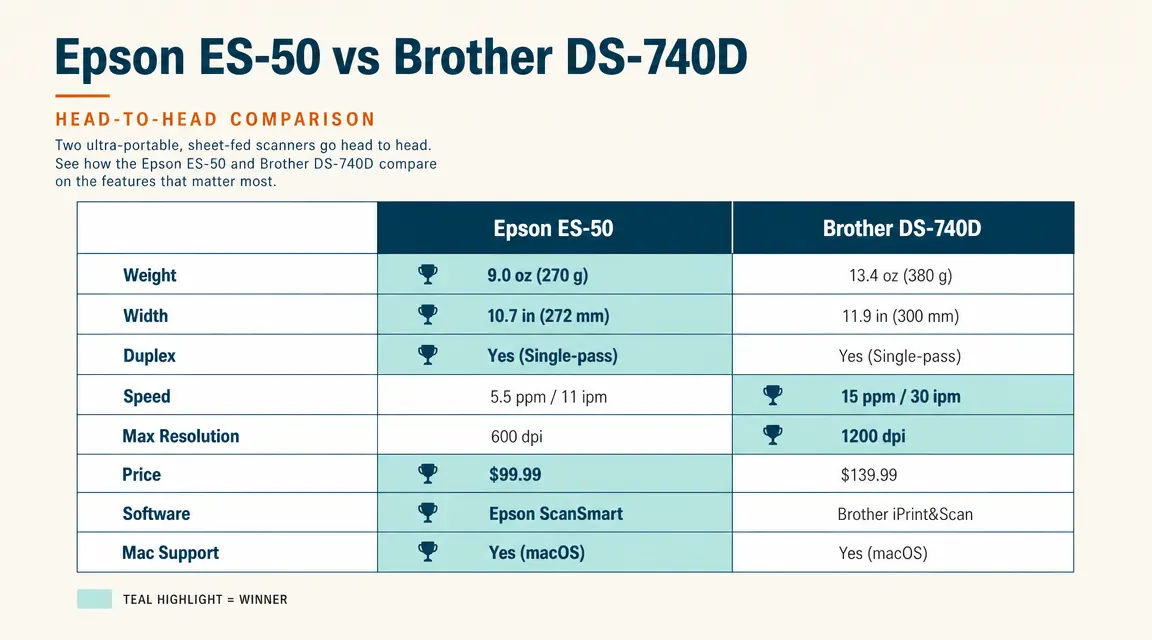
Scan Speed and Real-World Feed Reliability
Both scanners are fast enough for any realistic home office load. Neither is built for high-volume batch processing, and neither pretends to be. The daily duty cycle for both is around 500 pages, which sounds modest until you realize that most home office users scan between 10 and 50 pages on an active day. At that volume, the difference between 25 ppm and 27 ppm is not a meaningful factor. What matters considerably more is how each machine handles the mixed-condition documents that actually accumulate in a home office inbox: clean printed pages, thermal receipts with heat curling, older documents with fold creases from living in a filing cabinet.
The ES-50 is more forgiving with curled and worn pages. Its single-pass roller path has looser tolerances than the DS-740D's duplex mechanism, which means lightly curled ATM receipts and documents with fold lines at the edges tend to feed more cleanly through the Epson. The Brother's duplex path is tighter by design, which is necessary for its two-sided scanning to work accurately, but it means it is more particular about paper condition. If your scanning pile is a mix of pristine printouts and banged-up receipts, the ES-50 will produce fewer jams. Neither machine is fragile, but this distinction is one that only becomes obvious over months of actual mixed-document use.
Software and OCR: What You Actually Get
Epson ScanSmart is straightforward in exactly the way scanner software usually is not. Open it, feed your document, choose what you want done with it. The interface is clean and the prompts are sensible. The ABBYY FineReader engine underneath handles OCR for mixed-font pages, small-type receipts, and standard body text with consistent accuracy. Saved PDFs are fully searchable and indexed. For someone building a paperless home office archive, this matters more than scan speed. Searching across 200 scanned documents by keyword is only useful if the OCR was accurate enough to index the text correctly. ABBYY is genuinely good at this, and it shows in day-to-day use.
Brother's iPrint and Scan handles basic scanning cleanly, and the DS-740D works with any TWAIN-compatible third-party scanning application, so if you already own a preferred OCR solution you can bypass the bundled software entirely. That is a real option for users who have already invested in a scanning workflow. The PaperPort Standard engine that ships with the Brother is adequate for clean, standard-font documents but produces more recognition errors than ABBYY on mixed-font pages, small print, and anything printed on thermal paper. For buyers who do not already own third-party OCR software, the Epson wins this category without much contest, and the gap is not trivial if you plan to rely on full-text search.
Portability and Desk Footprint
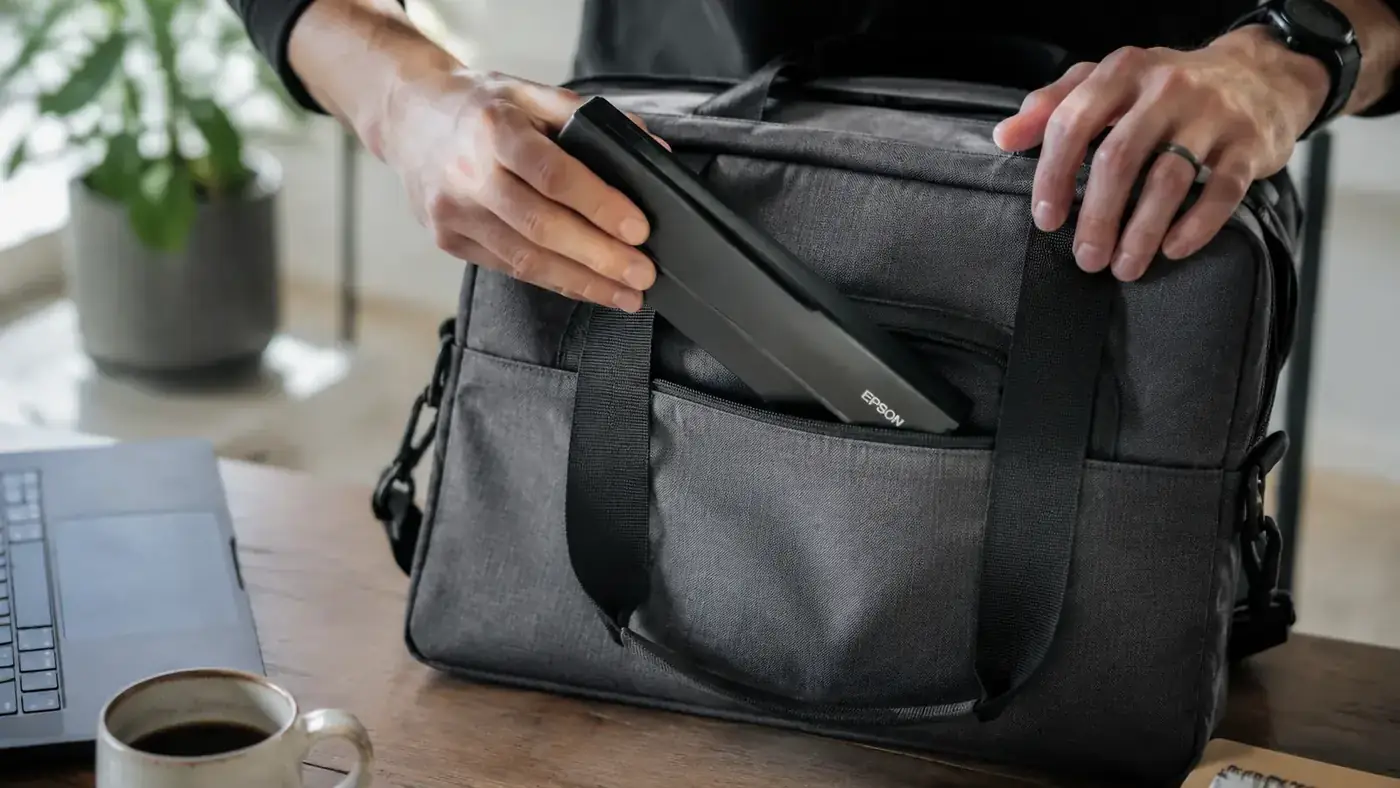
Both scanners are USB bus-powered and travel-sized by design. The ES-50 is 0.2 lbs lighter and about half an inch narrower than the DS-740D. Neither difference is dramatic on its own, but if you carry your scanner in a bag between locations regularly, the ES-50 is the one you notice less. It slides into a laptop bag side pocket without fighting the zipper. The Brother fits in most bags too, but its duplex mechanism adds visible bulk and a slightly tighter fit. Over a long travel day, small physical differences in bag weight and packing convenience are the kind of thing you either do or do not care about, depending on how often you move.
On a tight desk the ES-50 is genuinely unobtrusive. It sits beside a laptop without claiming meaningful workspace, and its narrow profile means it can tuck against a monitor stand or wall without blocking anything. If you are building a home office in a small apartment, a spare bedroom corner, or any constrained footprint where every square inch of desk surface is counted, the ES-50 is the easier fit. The Brother is not large by any standard, but side by side the size difference is real and the ES-50 wins on compact living.
Who Should Buy Which
Buy the Epson ES-50 if: most of your scanning is single-sided, you want the best out-of-the-box OCR accuracy without purchasing additional software, you use a Mac and want stable drivers across OS updates, you want to keep the budget lower, or you are prioritizing a smaller and lighter device that travels without complaint. That description fits the majority of home office users. Receipts, tax documents, lease agreements, bank statements, service contracts: most of what accumulates in a real home office inbox is printed on one side, and the ES-50 is built for exactly that load.
Buy the Brother DS-740D if: you regularly deal with two-sided originals and manual flipping genuinely slows your workflow, you already own or plan to buy better OCR software so the bundled software difference is not a concern, or you primarily process legal, medical, or government forms that are consistently printed on both sides. The Brother is the better machine for that specific workload, and it is worth paying more for if that workload is yours. It is not better across the board, and for most home offices, the Epson covers the job at a lower price with better standard software.
Most home offices do not need duplex. The ES-50 covers everything else at a better price with better OCR.
Lighter, smaller, lower price, and ScanSmart with ABBYY OCR out of the box. If your scanning pile is mostly single-sided, the Epson ES-50 is the straightforward call.
Amazon Check Today's Price on Amazon →